


If you run a retail chain with more than a handful of stores, you’ve probably already had the conversation: someone on your operations team is tired of printing paper price tags every Sunday night, and someone in finance wants to know why shelf prices keep mismatching what’s at the register. An electronic shelf label system — an ESL system — is the obvious answer. But deciding which system to buy, how much it should cost, and what happens after you sign the contract is where most of the real work lives.
This guide walks through what an ESL system actually includes, how the technology works under the hood, how to build a defensible business case, the implementation pitfalls that don’t show up in vendor brochures, and a practical framework for evaluating suppliers. No fluff, no vendor-speak. Just what matters when you’re the person responsible for getting it right.
01 What Makes Up an ESL System
Most people picture an ESL system as a bunch of digital price tags stuck to shelves. That’s like describing a car as four wheels and a steering wheel. Technically true, but it misses everything that makes the thing actually work.
A complete ESL system has four layers that function as one integrated chain. At the shelf edge, you have the electronic labels themselves: thin E Ink displays that show prices, unit costs, promotional badges, and product information. These communicate wirelessly with base stations (sometimes called access points or gateways) mounted throughout the store, which act as the relay between the shelf and the back office. The management software — running either on a local server, in the cloud, or as a Docker container — is where your team designs label templates, schedules price updates, and monitors the health of every tag in the fleet. Finally, the integration layer connects this whole setup to your POS, ERP, and inventory systems so that when a price changes in your master database, the shelf updates automatically. No human hands involved.
The communication protocol that ties these layers together isn’t an afterthought. It’s an architectural decision. 2.4GHz proprietary RF, BLE 5.0, 433MHz, NFC, and Wi-Fi each favor different store layouts, densities, and update-speed requirements. The right choice depends on your physical environment, not on which spec sheet has the biggest numbers.
02 How an ESL System Works: The Four-Layer Architecture
At its core, an ESL system is working like a real-time physicalization network for price data. Its true value isn’t in the screen technology. It’s in ensuring that the price a customer sees on the shelf is identical to the price in your POS system — at every shelf, in every store, at every moment. That sounds simple. Keeping it true across tens of thousands of SKUs is not. Here’s how the four layers deliver on that promise.
The Display Layer: How ESL Tags Work
ESL tags use E Ink electronic paper, the same display technology found in a Kindle, engineered for retail. The defining characteristic is bistability: the screen consumes power only during the moment of refresh, then holds the image indefinitely with zero energy draw. This is why a single CR2450 coin cell battery can power a label for 3 to 5 years of normal operation, and why the display remains perfectly readable even under harsh fluorescent supermarket lighting.
A typical ESL tag supports 100,000 refresh cycles over its lifespan, enough for twice-daily price changes across more than a decade. In practice, the battery or the physical housing usually reaches end-of-life before the display does. Modern tags range from compact 1.54-inch formats for small cosmetic items up to 7.5-inch and larger panels for warehouse bin labels or end-cap displays. Environmental tolerance varies by model: standard tags handle ambient indoor conditions, while freezer-grade variants operate reliably at -25°C with IP67-rated protection against moisture and condensation.
Color capability has been a meaningful recent shift. While monochrome (black, white, red) has been standard for years, four-color E Ink — adding yellow to the palette — entered commercial production in 2024. This lets retailers use color as a functional tool: yellow for clearance, red for promotion, black for regular price. Each instantly recognizable from across the aisle.
The Network Layer: Base Stations and Communication Protocols
The base station is the unsung backbone of any ESL deployment. It receives price-update instructions from the management software over the store’s LAN or Wi-Fi, then broadcasts them to the labels via radio frequency. After each label updates, it sends a confirmation signal back through the same path. The result is a closed-loop verification trail that lets the system know exactly which tags succeeded and which need a retry.
Protocol choice is where things get interesting. 2.4GHz proprietary RF offers the greatest range per base station (typically 500 to 3,000 tags per access point, depending on physical obstructions) and strong interference resistance, making it the go-to for large single-floor supermarkets. BLE 5.0 trades some range for standardization: because Bluetooth is a universal protocol, BLE-based ESL systems can interact directly with customer smartphones for features like product-location guidance or personalized offers. 433MHz penetrates walls and floors better than either of the above, which matters for multi-level department stores and warehouses with steel racking. Wi-Fi and NFC each serve niche needs. Wi-Fi suits installations that want to eliminate dedicated base stations entirely. NFC handles tap-to-verify use cases at the shelf edge.
The practical question isn’t “which protocol is best?” It’s “which protocol matches my store’s physical layout and my team’s operational workflow?” A vendor that offers only one protocol is asking you to adapt to their limitation. A vendor that offers multiple and can explain the trade-offs is worth a longer conversation.
The Management Layer: Software That Runs It All
If the labels and base stations are the body of an ESL system, the management software is the brain. It’s where daily operational friction either disappears or multiplies. A well-designed platform does three things exceptionally well.
First, template design. Every product category needs different information on its label: grocery needs unit pricing, pharmacy needs dosage instructions, fashion needs size variants. The software should let you build templates once, defining which fields appear, in what layout, at what font size, and then apply them across thousands of labels by category. A retailer that can’t design templates in under 15 minutes per category is likely to end up with visual chaos at the shelf.
Second, batch operations. Changing the price on 2,000 SKUs should be a single action: select the products, enter the new price or the percentage adjustment, confirm, and the system handles the rest. Multi-store management is the real capability test. Can you push a price change to all 47 of your locations from one screen, or do you need to log into each store separately?
Third, fleet monitoring. Every label should report its status — online, battery level, last successful update timestamp — to a dashboard that flags problems before a store manager notices. A label that’s been offline for 72 hours with a depleted battery is a maintenance ticket waiting to happen. A system that alerts you at the 48-hour mark prevents the problem from reaching the shelf.
Deployment mode is a TCO decision hiding in plain sight. On-premise servers offer lower latency and keep data entirely within your network. Cloud-based platforms enable anywhere-access and simplify multi-store management but introduce recurring subscription costs. Docker-based deployments split the difference: run the software on your own infrastructure while maintaining portability across operating systems.
The Integration Layer: Connecting to Your Existing Systems
A standalone ESL system that doesn’t talk to your POS is just an expensive remote control for shelf displays. The integration layer is where ESL stops being a gadget and becomes infrastructure.
Standard integration paths include RESTful APIs, MQTT (the lightweight messaging protocol that has become the de facto standard for IoT devices), direct database connections, and CSV import/export for batch operations. The data flow is straightforward: a price update originates in your ERP or pricing engine, the ESL management software receives it via API, the base station broadcasts it to the relevant labels, each label confirms receipt, and the confirmation is logged for audit. The entire cycle, from ERP change to shelf display, should complete in under 30 seconds.
The single most important question to ask any vendor: “Do you provide a documented, open API and an SDK?” If the answer is no, or if the API is a “coming soon” roadmap item, you’re buying a closed system that will need manual babysitting every time your product catalog or pricing strategy changes. An ESL system without API access isn’t a system at all. It’s a standalone appliance bolted onto a retail operation that needs integration to function.
03 The Business Case for ESL Systems
Operational Efficiency: Labor Savings and Pricing Accuracy
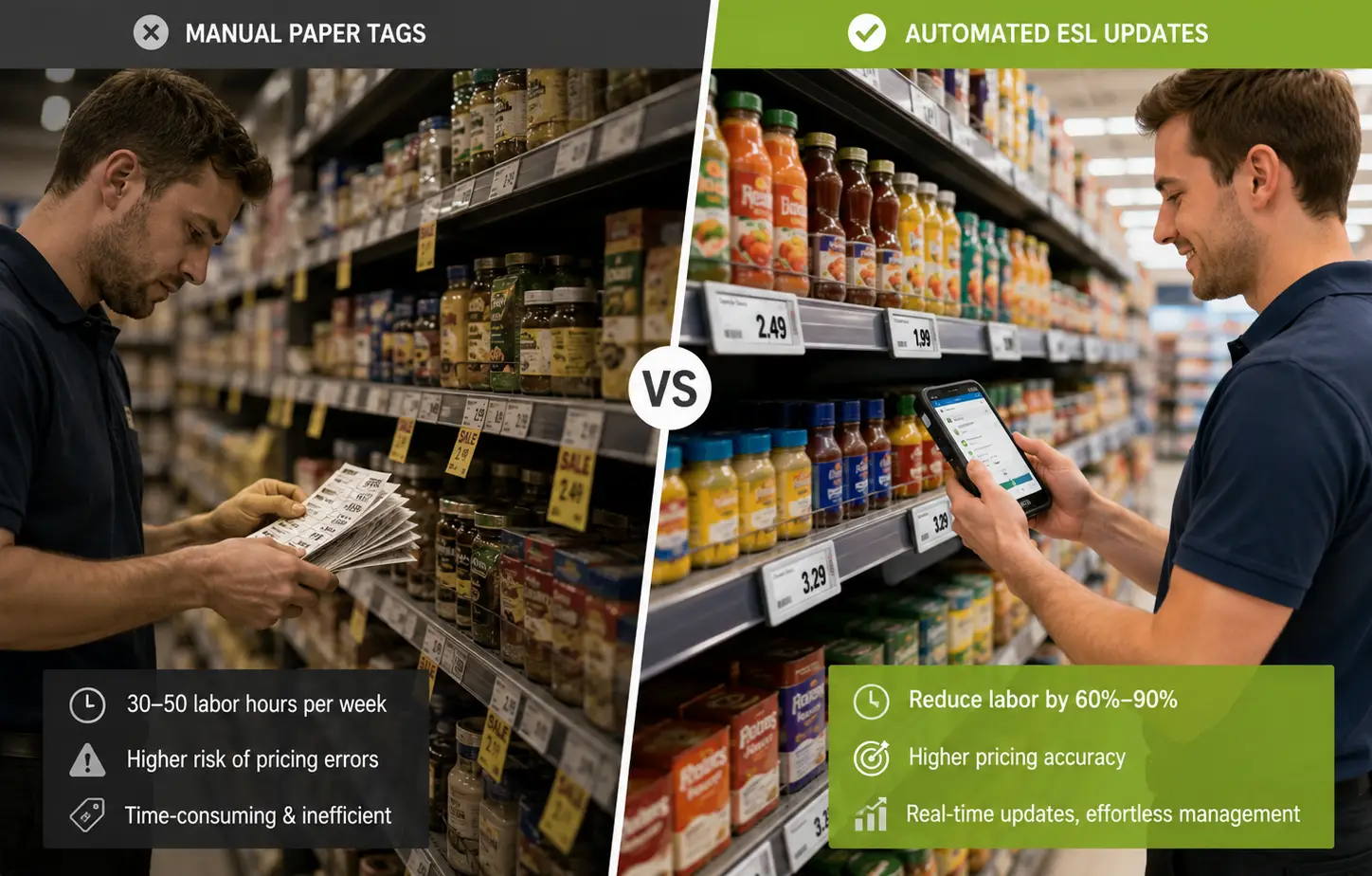
Start with the most quantifiable benefit: labor. In a medium-sized supermarket with 10,000 SKUs, a typical weekly promotional cycle might require 1,500 price changes. Manually printing, sorting, and replacing paper tags consumes anywhere from 30 to 50 labor hours per week. That’s time spent on a task that adds zero revenue and exactly zero customer-facing value. ESL collapses that to near-zero: the price change happens in software, and the shelf updates automatically.
The magnitude of labor savings consistently falls in the 60% to 90% range across real-world deployments. The higher end comes from chains that run frequent promotions or operate in jurisdictions with strict unit-pricing regulations that multiply the number of tags needing updates.
Pricing accuracy is the other side of the same coin. Studies across retail operations consistently find that 2% to 5% of paper shelf labels display a price that doesn’t match what’s in the POS system. The causes are mundane: missed updates, human error during tag placement, promotional timing overlaps. ESL reduces this mismatch rate to below 0.5% because the shelf price is always a direct reflection of what’s in the master database. Beyond customer trust, pricing accuracy matters legally: several jurisdictions impose fines for shelf-price discrepancies, and even a handful of consumer complaints can trigger a regulatory audit.
Beyond Price Tags: Omnichannel Sync and Sustainability
Move one layer up from operational efficiency, and ESL enables something that paper labels structurally cannot: real-time price consistency between online and physical stores. In an era where Amazon adjusts prices thousands of times per day, a retailer whose in-store prices lag 24 hours behind the website is creating a trust deficit with every customer who comparison-shops on their phone while standing in the aisle. ESL makes omnichannel pricing a technical reality rather than an aspirational slide in a strategy deck.
The sustainability dimension is less financially immediate but increasingly material. A 50-store supermarket chain can easily consume half a million paper labels per year. That’s not just the paper itself — it’s the ink, the thermal printing infrastructure, and the labor to handle it all. Eliminating that stream contributes directly to ESG reporting metrics, which are becoming a standard requirement for investor communications and, in the European Union, for regulatory disclosures under the Corporate Sustainability Reporting Directive.
How to Build Your ESL ROI Case
Moving from qualitative benefits to a number you can take to your CFO requires turning three savings streams into annual figures:
The formula is straightforward: (Annual labor savings) + (Annual error-loss reduction) + (Annual consumables savings) = Annual Benefit. Divide your total investment (hardware + software + installation + first-year maintenance) by the annual benefit, and you get the payback period in years.
For a typical deployment, the numbers tend to cluster around a 12- to 24-month payback. A small-format store with roughly 2,000 labels might see total upfront costs in the $15,000 to $40,000 range. A full-scale supermarket with 10,000 or more labels can push past $200,000 when you include integration work and professional installation.
Three costs deserve a hard look before you sign anything, because they’re the ones most likely to be minimized in a vendor’s initial quote. First, software licensing: the difference between a one-time perpetual license and an annual subscription, compounded over five years, can exceed 40% of the total software line item. Second, battery replacement: CR2450 cells last 3 to 5 years, but when several thousand labels start hitting end-of-life around the same period — a phenomenon the industry calls the “maintenance cliff” — you’re looking at a scheduled operational expense, not a surprise. Third, ongoing support and maintenance: does the vendor’s SLA guarantee a response time measured in hours or days? What happens to your pricing operations if the management software goes offline for an afternoon?
Perpetual vs subscription: 40%+ difference over 5 years
Maintenance cliff at year 3–5 across thousands of labels
Response time measured in hours, not days
Calculate these three numbers explicitly before comparing vendors. A proposal with lower hardware costs but a five-year subscription lock-in and no battery-replacement support may end up costing significantly more than a higher-upfront quote with a perpetual license and an included maintenance program.
04 Implementation Realities: What Vendors Don’t Always Tell You
Here is where most ESL content stops, and where the real decision-making begins. The technology works. The ROI math pencils out. But if your data isn’t clean, your team isn’t prepared, and your vendor disappears after installation, none of that matters.
Data Readiness: The Foundation Nobody Checks
The most common reason an ESL deployment goes sideways isn’t a hardware failure. It’s that the retailer’s product master data wasn’t ready for prime time. Your POS might list a product as “TIDE LIQ DET 32OZ ORIG” while your ERP has it as “Tide Liquid Detergent 32oz Original Scent” and your planogram system calls it something else entirely. When all three feed into the ESL system, which name goes on the shelf? And will the customer recognize it?
This isn’t hypothetical. In April 2025, Woolworths New Zealand was forced to close all 185 of its stores after a software error cascaded incorrect prices across its ESL network. European retailers in Germany, France, and the Netherlands have reported similar incidents — degraded displays across millions of tags following centralized software glitches, requiring days of manual verification to resolve. The root cause in nearly every case traces back to data governance: unclear rules about which system is the authoritative source of truth for shelf pricing, and a lack of validation gates between data entry and shelf display.
Before you start evaluating vendors, spend 4 to 6 weeks on a data readiness audit. Clean your SKU master. Standardize naming conventions. Designate, in writing, which system is the binding price authority. And ask every vendor on your shortlist: Do you provide a data validation workflow before go-live? Will your system flag a price change that deviates from the historical range by more than, say, 30% before pushing it to the shelf?
The Hidden Lifecycle Costs Beyond Hardware
The upfront hardware quote is the easiest number in an ESL procurement to compare. It’s also the least useful. What happens after month 6 is where the real cost of ownership reveals itself.
Battery fleet management is the most predictable hidden cost. With 10,000 labels in a store, each running on a CR2450 cell rated for 3 to 5 years, you’re looking at a rolling wave of replacements that will peak somewhere in years 3 through 5. The “maintenance cliff” — where large batches of labels installed at the same time reach end-of-life simultaneously — can require a dedicated team working shifts to replace batteries across thousands of shelf edges. Ask vendors: Do you provide battery health monitoring at the individual label level? Can you stage replacements department by department to avoid a store-wide shutdown?
Planogram changes carry a less obvious operational cost. Every time your merchandising team reconfigures a category (typically quarterly for most supermarkets), the physical ESL tags need to be unclipped from one shelf position and reattached to another, then reassigned in software to the new product. For a store with 15,000 labels undergoing a major reset, this is a multi-day project that the original business case probably didn’t account for.
Software evolution rounds out the lifecycle picture. A vendor that ships feature updates every quarter and backports security patches to older versions is a fundamentally different long-term partner from one that treats the software as “done” at installation and only responds to break-fix tickets.
Choosing a supplier with a structured post-sale infrastructure — documented warranty terms, SLA-backed technical support, installation guidance, and a global logistics network — transforms the post-purchase experience from a series of unpleasant surprises into a managed, predictable relationship. One practical litmus test: ask for contact details of a customer whose deployment is similar in scale and industry to yours. A vendor with 180-country coverage and tens of thousands of completed retail projects can provide that reference without hesitation. If they can’t, that’s information in itself.

Change Management: Getting Your Team On Board
The quietest risk in any ESL project is your own staff. Store associates who’ve spent years managing paper tags — and who may suspect, not unreasonably, that “automation” is code for “fewer of us” — need to see ESL as a tool that frees them for higher-value work, not one that replaces them.
The communication framework is simple: frame ESL adoption around what the team gains. Instead of spending a third of their shift hunting down paper tags and cross-checking prices, they’re available to help customers find products, answer questions, and drive basket size. That’s a more interesting job, and it’s one that directly impacts store performance metrics.
Training needs to be phased, not dumped. Week one: how to read a label’s status LED — green means healthy, flashing red means it needs attention. Week two: how to select and apply a template. Week three: how to run a batch price update. By month three, designate one or two “ESL champions” per store: associates who become the on-the-ground experts their colleagues can turn to instead of filing a support ticket for every small question. This peer-support model consistently outperforms centralized help desks for adoption speed.
05 How to Choose the Right ESL System: A Decision Framework
You’ve now walked through what an ESL system contains, how it works technically, what it should cost, and where the hidden risks live. The final step is turning that knowledge into a structured evaluation that lets you compare vendors without getting lost in spec sheets.
The table below is designed to be printed and brought into vendor conversations. Not as a scorecard, but as a discipline tool that ensures you ask the same questions of every supplier and compare answers on the same dimensions.
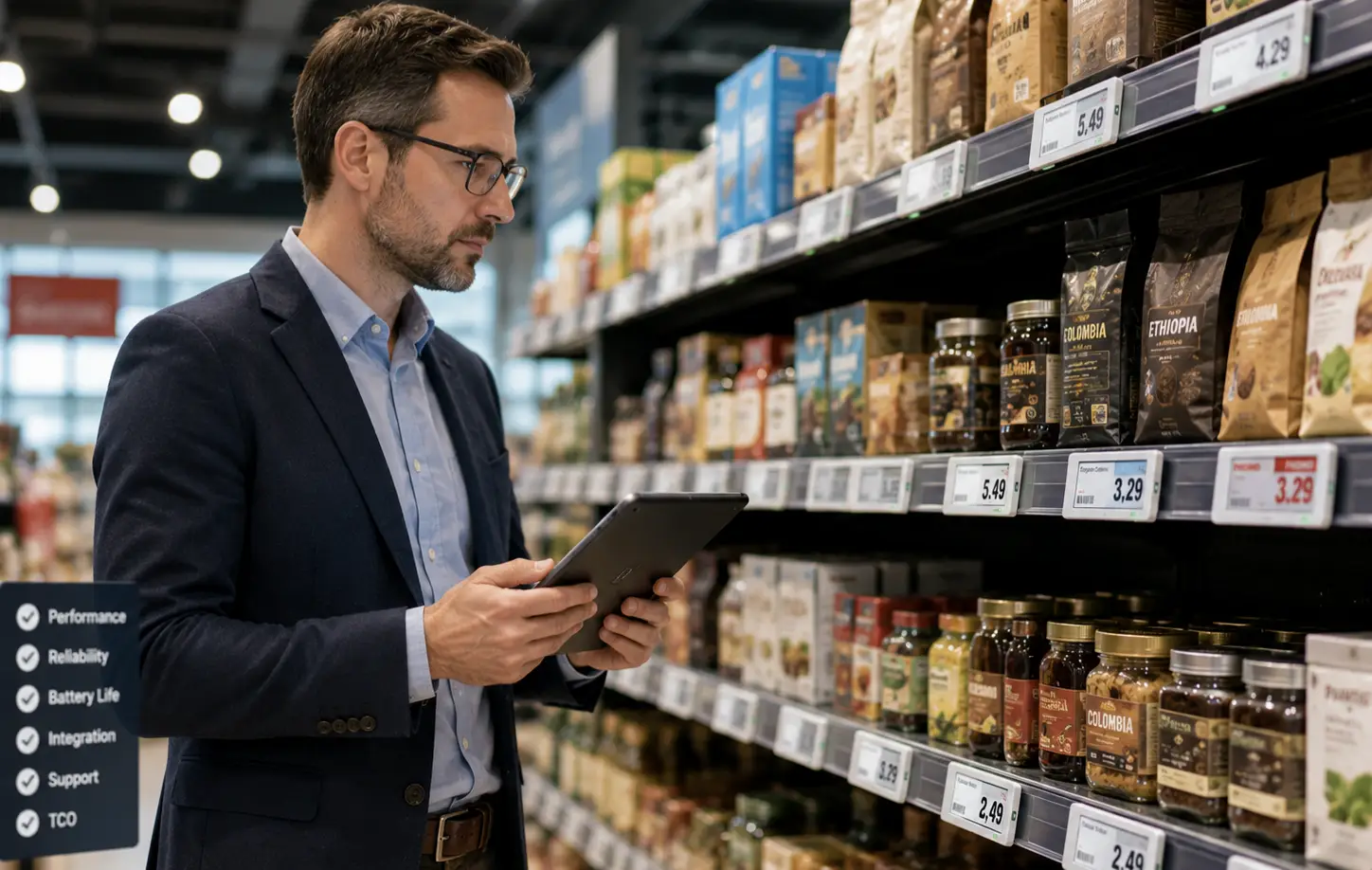
ESL System Vendor Evaluation Checklist:
| Evaluation Dimension | Why It Matters | What to Look For |
|---|---|---|
| Communication Protocol Options | Determines whether the system fits your physical store layout | At least two protocol options (e.g., 2.4GHz + BLE) with documented trade-offs per scenario |
| Software Architecture & APIs | Determines whether the system integrates with your existing IT stack | Documented, open API; SDK availability; MQTT/RESTful support; verified POS/ERP integration references |
| Deployment Flexibility | Drives long-term TCO and data sovereignty | Support for on-premise, cloud, and containerized deployment; transparent software licensing model |
| Customization Capability | Ensures brand consistency across all customer touchpoints | Label appearance customization, software UI tailoring, functional module configurability |
| Quality Control & Certifications | Labels are long-life assets; quality variance directly impacts TCO | ISO 9001 certification, CE/RoHS market-access credentials, quantifiable defect-rate data |
| Delivery & After-Sales | Determines speed to go-live and problem-resolution reliability | Documented sample and mass-production lead times, global logistics capability, hardware warranty terms, technical support SLA |
| Scalability | Protects today’s investment from becoming tomorrow’s bottleneck | Single-store to multi-store expansion without core architecture change |
| Verified Deployments | The most honest signal of real-world capability | Case references matching your industry and store scale that you can contact directly |
One closing principle: the right time to verify a vendor’s claims is before you sign, not after. Ask for a customer reference whose store count, category mix, and geographic footprint resemble your own. Call them. Ask what went wrong during their rollout and how the vendor handled it. If a vendor can’t produce a single verifiable reference, every specification on their brochure is provisional until proven otherwise.
For operations teams ready to move from evaluation to procurement, working with a manufacturer that combines full OEM/ODM customization — from label dimensions and color schemes to software UI and firmware features, with sample turnaround in under a week — turns the evaluation framework above into an actionable procurement checklist rather than a theoretical exercise.
References
- The Economic Times. “Woolworths Temporarily Closes All Stores in New Zealand Due to Electronic Shelf Price Glitch.” 2025. economictimes.com
- Baker McKenzie. “Electronic Shelf Labels Pose Myriad Risks for Retailers.” 2025. bakermckenzie.com
- IHL Group. “The New Retail Tech Benchmarks.” 2025. ihlservices.com

 English
  Russian
  Spanish
  German
  Arabic
  French
  Bulgarian
  Polish
  Romanian
  Turkish
  Portuguese