


An empty shelf and a crowded backroom can exist in the same store. Good grocery inventory management connects what arrives, what sells and what remains available, so your team can replenish the right products without buying more than it can sell.
This guide covers the daily workflow, fresh-food rotation, replenishment calculations, small-store routines and system features that make that connection work. AI forecasting and smart shelves can help, but they build on reliable records and clear responsibilities rather than replace them.
What Is Grocery Inventory Management?
Grocery inventory management is the process of recording, checking and replenishing the products a food retailer holds for sale, along with ingredients used in store-prepared food. It tracks quantities, locations and costs, and, where relevant, batches and expiration dates.
Unlike many retail categories, groceries combine short-life produce and prepared meals with shelf-stable goods, weighed items and products purchased by the case but sold individually. Grocery store inventory management therefore has to balance availability with shelf life, storage space and supplier delivery schedules.
How Do Grocery Stores Keep Track of Inventory?
Stores combine receiving records, POS transactions, stock adjustments and physical checks. Start with a consistent product record: SKU or barcode, purchase and selling units, supplier, cost, storage location and any required batch or date fields. A case of 12 bottles must become 12 selling units, not one.
- 01ReceiveCheck quantity, condition and units.
- 02StoreRecord backroom and shelf locations.
- 03Sell or reserveCapture sales and online commitments.
- 04AdjustLog waste, returns and production use.
- 05CountInvestigate and correct discrepancies.
- 06ReplenishMove backstock or place a purchase order.
At receiving: the receiving associate checks the delivery against the order before posting accepted quantities. Record shortages, substitutions and rejected goods separately. Include direct-to-shelf supplier deliveries so those products do not bypass the inventory record.
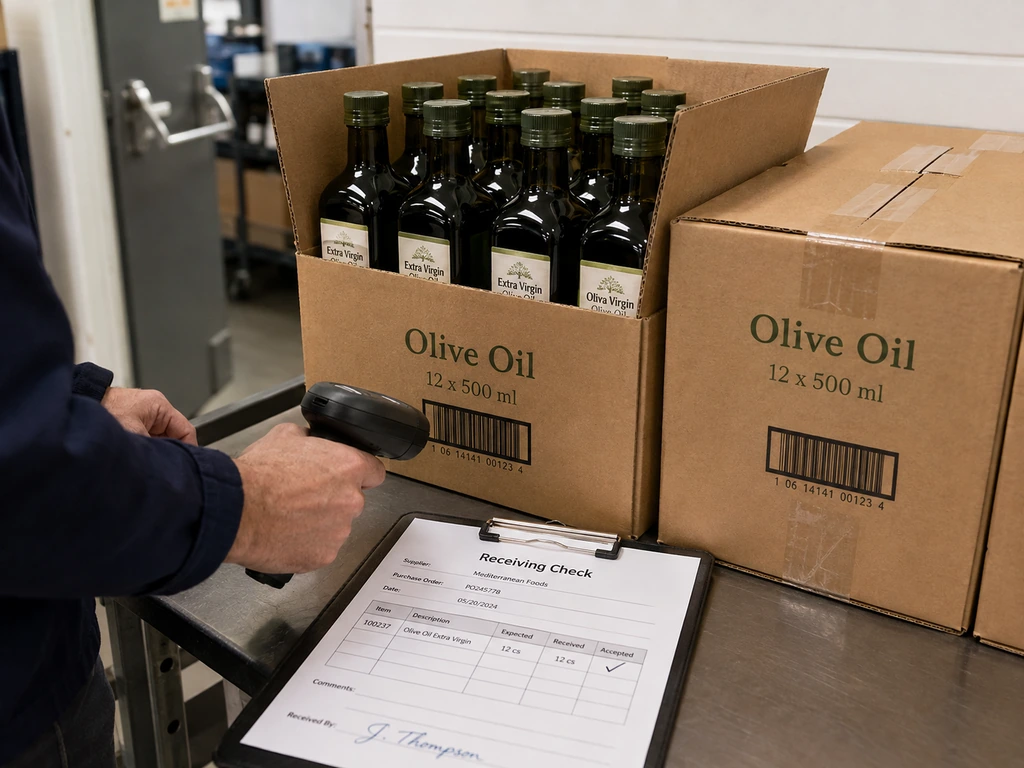
During trading: POS sales reduce recorded stock when correctly integrated. Staff must still record breakage, spoilage, supplier returns and other non-sale movements. Bakery or deli production also needs ingredient issues and finished-product records; otherwise ingredients can appear available after they have been used.
At review: the department lead investigates count differences, checks shelf gaps against backroom stock and reviews purchase needs. Moving a case from the backroom to the shelf changes its location, not the store’s total quantity.
Separate Physical Stock from Online Availability
On-hand stock is not the same as stock available to promise. An online order can reserve units that remain physically in the store. Picking, substitutions, cancellations and fulfillment then update those commitments according to the system’s rules.
Configure the workflow so one order does not reduce physical stock twice. Release reservations when an order is canceled, and exclude damaged or otherwise unsellable goods from available stock. POS integration alone does not guarantee that an item shown online is actually on the shelf.
Practical Grocery Store Inventory Management Methods
The following methods address different decisions: which batch to sell first, when to reorder, what to count and how to respond to changing demand. Use them together rather than treating any one tool as a complete solution.
1. Use FEFO for Date-Sensitive Products
FIFO, or first-in, first-out, rotates stock by arrival date. FEFO, or first-expired, first-out, prioritizes the earliest expiration date. Suppose a yogurt delivery received yesterday expires in 10 days, while an older delivery expires in 14 days. FEFO places the newer, earlier-expiring batch first.
Capture the relevant dates at receiving, keep batches identifiable and check both the shelf and backroom during rotation. When batch and expiry information is encoded in a barcode, the scanner and receiving software must support reading and storing it; an ordinary product identifier does not by itself provide that information. GS1’s retail systems guidance explains the supporting data flow.
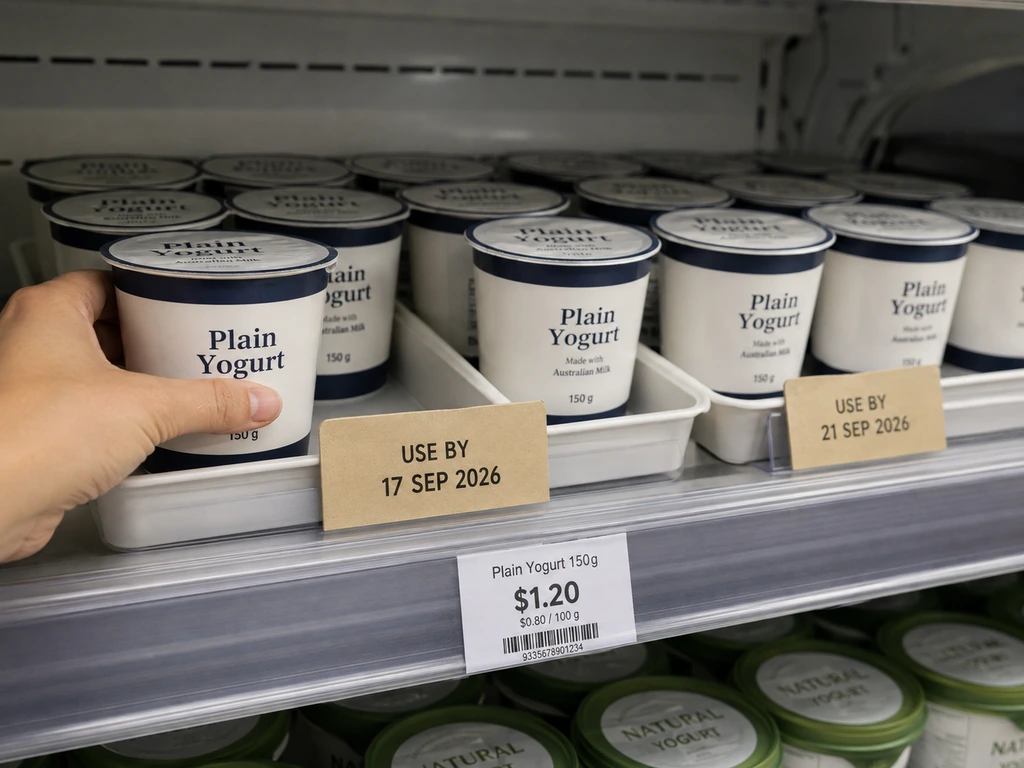
Set markdown and removal rules by category, remaining shelf life and your food-safety requirements. There is no universal best discount window for every fresh product. Rotation and markdowns do not make expired or unsafe food suitable for sale.
| Decision | Fresh and date-sensitive goods | Shelf-stable center-store goods |
|---|---|---|
| Ordering | Balance expected sales with remaining sellable life and delivery frequency. | Balance demand, lead time, case size and storage capacity. |
| Rotation | Prioritize the earliest expiry; identify batches. | Use FIFO where appropriate; use expiry priority when dates differ. |
| Daily attention | Condition, short-dated stock, waste and shelf gaps. | Top-seller availability, backroom stock and replenishment exceptions. |
| Useful measures | Waste at cost, availability and sell-through by batch or period. | Inventory accuracy, stockouts and inventory turnover. |
2. Set Reorder Points Without Confusing Them with Safety Stock
A reorder point is a purchasing trigger. Safety stock is the buffer within that trigger for uncertainty in demand or delivery. Oracle’s inventory documentation describes the reorder point as forecast demand during replenishment lead time plus safety stock.
Illustrative figures, not a recommended stock policy for every grocery store.
Reorder point = (12 × 3) + 10 = 46 units
With no outstanding orders or reservations in this simplified example, reaching 46 usable units triggers a replenishment review. It does not mean ordering another 46 units.
In practice, check usable on-hand stock, incoming orders and outstanding commitments before ordering, without subtracting the same demand twice. Choose the order quantity using your target stock level, case packs, minimum order quantity, space and shelf-life constraints. Set safety stock from demand and delivery variability and the service level you need, not a universal multiplier.
Frequent small deliveries can suit some fresh categories, but just-in-time purchasing depends on supplier reliability. It is not a rule to reorder after every sale, and it does not remove the need for a buffer.
3. Prioritize Products with ABC Analysis and Risk Checks
ABC analysis helps focus attention on the products with the largest business impact. Choose and document a ranking basis, such as annual consumption value: annual units sold multiplied by unit cost. Do not assume that the same fixed percentage split fits every store, or that high unit price always means high priority.
Overlay perishability, shrink risk and shopper expectations. A low-cost staple can deserve frequent availability checks even if its value ranking is modest. Review classifications when promotions, seasonality or the assortment change.
4. Cycle Count and Investigate the Cause
Count selected products throughout the week instead of relying only on a full stocktake. Give fast sellers, high-risk goods and recurring discrepancies more attention. Set the schedule around your own transaction volume and error history rather than assuming one frequency suits every SKU.
Count the shelf and backroom in the same selling unit, account for movements during the count and compare against a clear system snapshot. Recount material differences before an authorized adjustment. Record a reason: receiving error, case conversion, unrecorded waste, misplaced stock or another investigated cause.
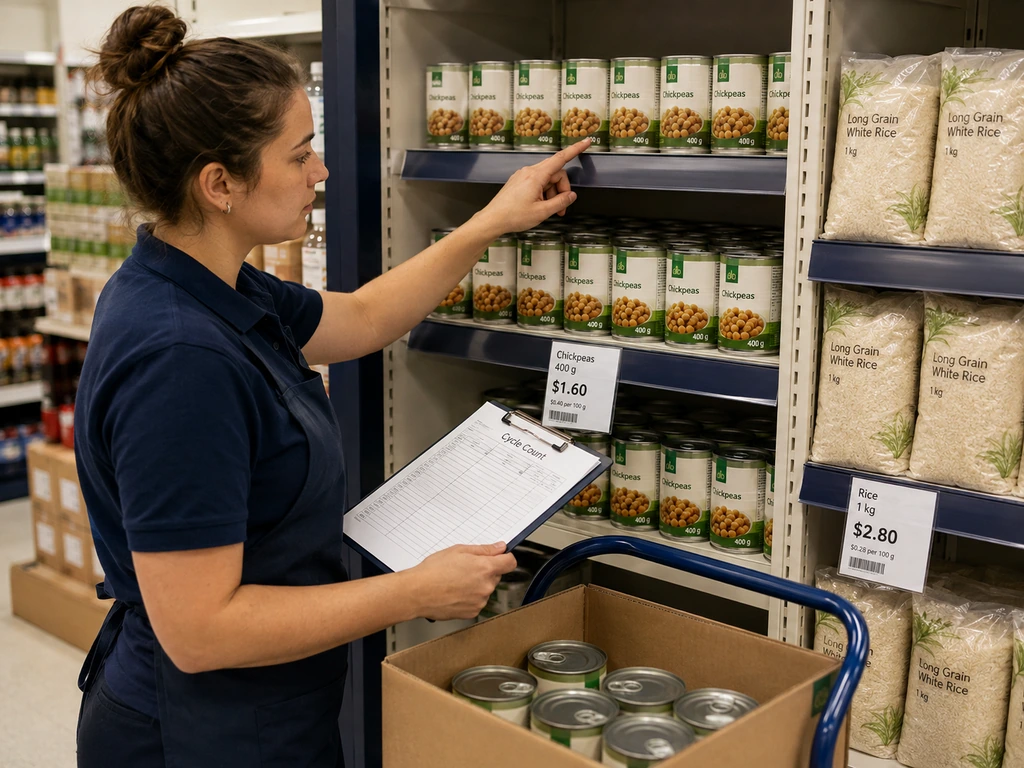
A SKU with no recent sales despite a positive system balance is an investigation signal, not proof that stock is missing. Verify the shelf, location and records before allowing an automated balance correction to trigger more purchasing.
5. Forecast Demand, Then Review Exceptions
Start with sales by SKU, store and day. Adjust for promotions, delivery days, holidays and relevant local conditions. Record stockouts: zero sales on an empty shelf are not evidence of zero demand. For short-life products, compare expected sales with how long the stock remains sellable.
AI forecasting can help process more inputs and flag exceptions across a large assortment. Its value depends on the data, category and workflow. Test recommendations against your existing approach and measure waste and availability together; lower waste achieved simply by understocking is not a successful result.
Inventory Management for Small Grocery Stores
Inventory management for small grocery stores should start with consistent daily records, not a mandatory technology rollout. A single-location shop can begin with basic POS inventory functions and a controlled spreadsheet where necessary. Assign one owner to reconcile the records and avoid competing versions of the stock balance.
- Week 1 — Establish the baseline. Clean up product identifiers and case-to-unit conversions. Count a manageable priority category, define its shelf and backroom locations, and expand category by category.
- Week 2 — Capture every movement. Use a receiving checklist and a simple waste, returns and adjustment log. Add a short opening or closing review of dates and shelf gaps.
- Week 3 — Set purchasing rules. Record supplier lead times and delivery days. Set initial reorder points for priority items and check stock already on order before buying again.
- Week 4 — Review and refine. Compare count differences, waste and stockouts. Correct the most frequent causes, then decide which manual tasks justify software or hardware support.
This is a suggested starting sequence, not a fixed implementation deadline. Adapt it to staffing, assortment size and the quality of existing records.
| SKU / selling unit | Shelf + backroom | On order | Reorder point | Earliest expiry | Checked by / date |
|---|---|---|---|---|---|
| YOG-PLN / pot | 18 + 12 | 24 pots | 46 pots | Record actual date | Initials / count date |
Example values only. Keep the units consistent, record commitments separately, and use separate batch rows when dates differ. A reorder point alone cannot determine whether another order is needed or how much to buy.
How to Choose a Grocery Store Inventory System
A grocery store inventory system should support the work from delivery to sale, not simply display a stock total. Before comparing vendors, list the transactions your staff struggle to record and ask each supplier to demonstrate them with representative products.
For supermarket inventory management across multiple locations, add store-level permissions, transfer tracking and local demand rules. A chain-wide total can hide a shortage in one branch and excess stock in another.
| Capability | Ask the supplier to demonstrate |
|---|---|
| POS and order integration | Sales, returns, online reservations, substitutions and cancellations without duplicate deductions. |
| Receiving and purchasing | Partial deliveries, supplier shortages, case-to-unit conversion and outstanding orders. |
| Fresh-food records | Batch and expiry capture, weighed products, waste reasons and ingredient use where needed. |
| Counting and control | Location-based counts, approval permissions and an audit trail for stock adjustments. |
| Multiple locations | Stock by branch, dispatch and receipt of transfers, and access for each store team. |
| Replenishment | Lead times, order constraints, explainable suggestions and manual exception review. |
| Integration and resilience | Documented APIs, data export, sync-failure alerts, recovery after outages and supported ESL connections. |
Compare the total ongoing workload and cost: setup, migration, training, subscriptions, integrations and support. Wireless protocol names do not prove compatibility. Confirm the actual software interface, supported data fields, update behavior and responsibility for resolving failures.
Grocery Inventory KPIs: Measure Availability, Waste and Accuracy
Use consistent periods, units and valuation methods. Compare departments with similar shelf lives and operating conditions; a store-wide average can conceal a fresh-food problem. Start with a small set of measures that leads to specific action.
| Measure | Defined calculation | What to investigate |
|---|---|---|
| Inventory record accuracy | Counted SKU-location records matching the verified quantity ÷ records counted × 100. | Receiving, unit conversions, unrecorded movements and repeated discrepancies. |
| Observed shelf stockout rate | Checks where a ranged item has no sellable shelf stock ÷ eligible item checks × 100. | Backroom-to-shelf delays, order settings and supplier shortages. |
| Waste-to-sales ratio at cost | Recorded expired, spoiled or damaged stock cost ÷ cost of goods sold × 100, for the same period. | Over-ordering, rotation, handling and markdown timing. |
| Inventory turnover | Cost of goods sold ÷ average inventory at cost over the same period. | Slow stock or, alongside stockouts, inventory held too lean. |
| GMROI | Gross profit amount ÷ average inventory at cost over the same period. | Margin and stock investment together; use money, not gross margin percentage, in the numerator. |
These definitions establish an internal measurement convention, not universal benchmark targets. Keep count tolerances and check schedules consistent. Separate known waste from unexplained shrink, and do not compare a cost-based ratio directly with a sales-revenue-based ratio.
For a defined batch, you can also monitor sell-through as units sold divided by units in that batch. If you use a period-based measure instead, state whether its denominator includes opening stock and receipts. Always review a higher sell-through rate alongside availability and waste.
How ESLs and Other Technologies Support Store Operations
Technology is most useful when attached to a specific task. Barcode scanning captures transactions; inventory software manages records and purchasing rules; shelf devices display information or, where equipped to do so, collect observations. These roles are complementary, not interchangeable.
Electronic Shelf Labels: Display and Execution at the Shelf
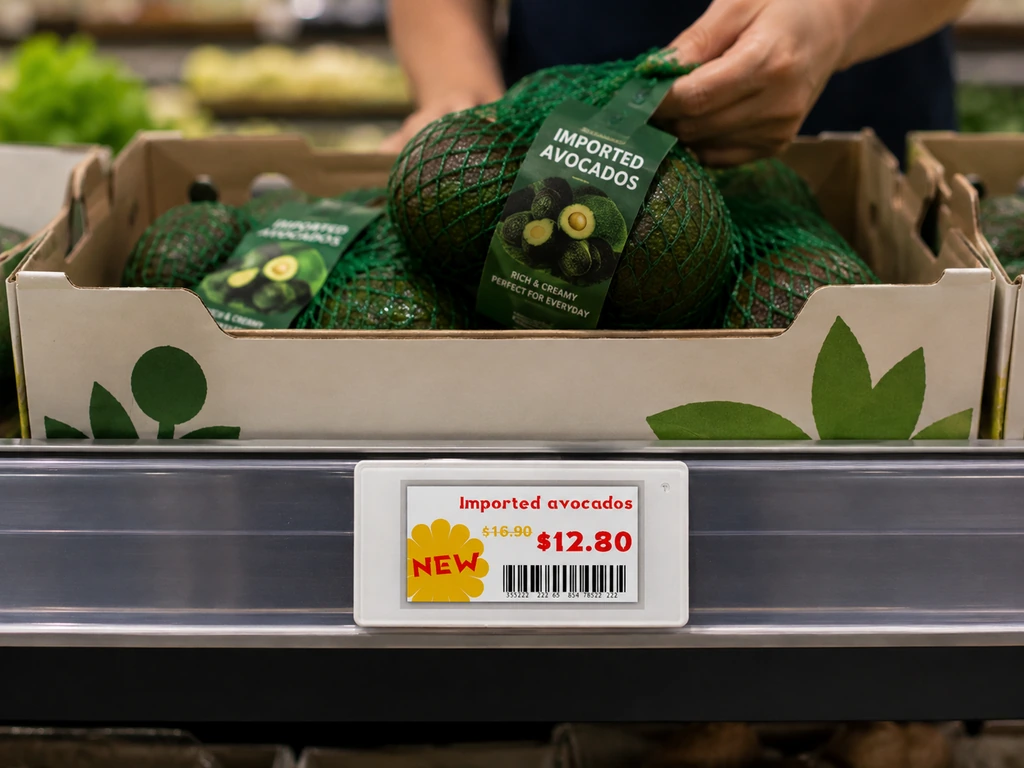
Electronic shelf labels replace paper price tickets with centrally managed displays. Depending on the model and integration, they can present approved prices, promotions and staff-facing information. LED-equipped labels can help associates locate products for picking, replenishment or counts.
A label’s update acknowledgment confirms device communication or update status, not how many products are physically present. Stock figures or expiry prompts must come from supported upstream data. One shelf label also cannot independently distinguish every batch sharing the same shelf.
Computer Vision and RFID: Additional Observations, Not Automatic Certainty
Computer vision can flag visible shelf gaps or misplaced products within the camera’s coverage. RFID can support tagged-item identification and tracking where the tags, readers and system are configured appropriately. Neither should be assumed to provide complete stock visibility in every store environment.
Evaluate covered locations, missed or ambiguous readings, tag requirements and how observations reach inventory records. Expiry information still needs a reliable link to the relevant item or batch. Pilot a defined category and require reviewable exceptions before enabling automatic stock adjustments.
Start with the bottleneck you can measure: price-change labor, picking time, shelf gaps or counting effort. Compare the pilot with a documented baseline, including training, integration and maintenance costs. Keep successful manual controls where they remain proportionate; there is no mandatory hardware package or universal payback period.
Frequently Asked Questions
Can a Small Grocery Store Manage Inventory with a Spreadsheet?
Yes, for a manageable assortment and transaction volume, provided someone keeps receipts, sales, waste and counts synchronized. Consider dedicated software when manual updates lag, several people edit conflicting records, or online orders and multiple locations make reconciliation difficult.
How Often Should Grocery Stores Count Inventory?
Use risk and discrepancy history to set a cycle-count schedule. Frequent checks may be appropriate for fast-selling, short-life or high-loss products, while stable lines may need less attention. Date and condition checks are separate from quantity counts and should follow the relevant category procedures.
Do Grocery Stores Use FIFO or FEFO?
Both can be useful. FIFO prioritizes arrival order; FEFO prioritizes expiration order. For date-sensitive batches, FEFO avoids assuming the oldest delivery always expires first. Neither replaces condition checks or applicable food-safety controls.
Do Electronic Shelf Labels Automatically Track Inventory?
Not on their own. ESLs display information supplied by connected systems and can support tasks such as locating a product. Physical quantities still require transaction records, counts or separately deployed sensing technology, with discrepancies investigated before records are corrected.
References
- Oracle. “Grocery Store Inventory Management Explained.” 2023. oracle.com
- Oracle. “Oracle Inventory User’s Guide: Planning and Replenishment.” 2025. docs.oracle.com
- GS1. “2D Barcode Playbook for Retail POS Host and Backend Systems.” 2026. ref.gs1.org
- Walmart. “How the Shelf Got Smarter and Our Jobs Got Easier.” 2026. corporate.walmart.com

 English
  Russian
  Spanish
  German
  Arabic
  French
  Bulgarian
  Polish
  Romanian
  Turkish
  Portuguese