


The lunch rush is ten minutes old when the kitchen runs out of the salmon special. A cook yells back to the counter, someone sticks a paper note over the menu board, and the next forty customers keep ordering a dish that no longer exists. The POS knew the item was gone the moment it was keyed out. The screen never heard about it.
That gap is what POS data integration for digital menu boards closes. It connects the point-of-sale system, where prices, items, and availability actually live, to the screens customers read, so the two stop drifting apart. Getting it right is less about picking software and more about understanding the route your data will travel, because every route buys a different mix of speed, cost, and upkeep.
What POS Data Integration Actually Is
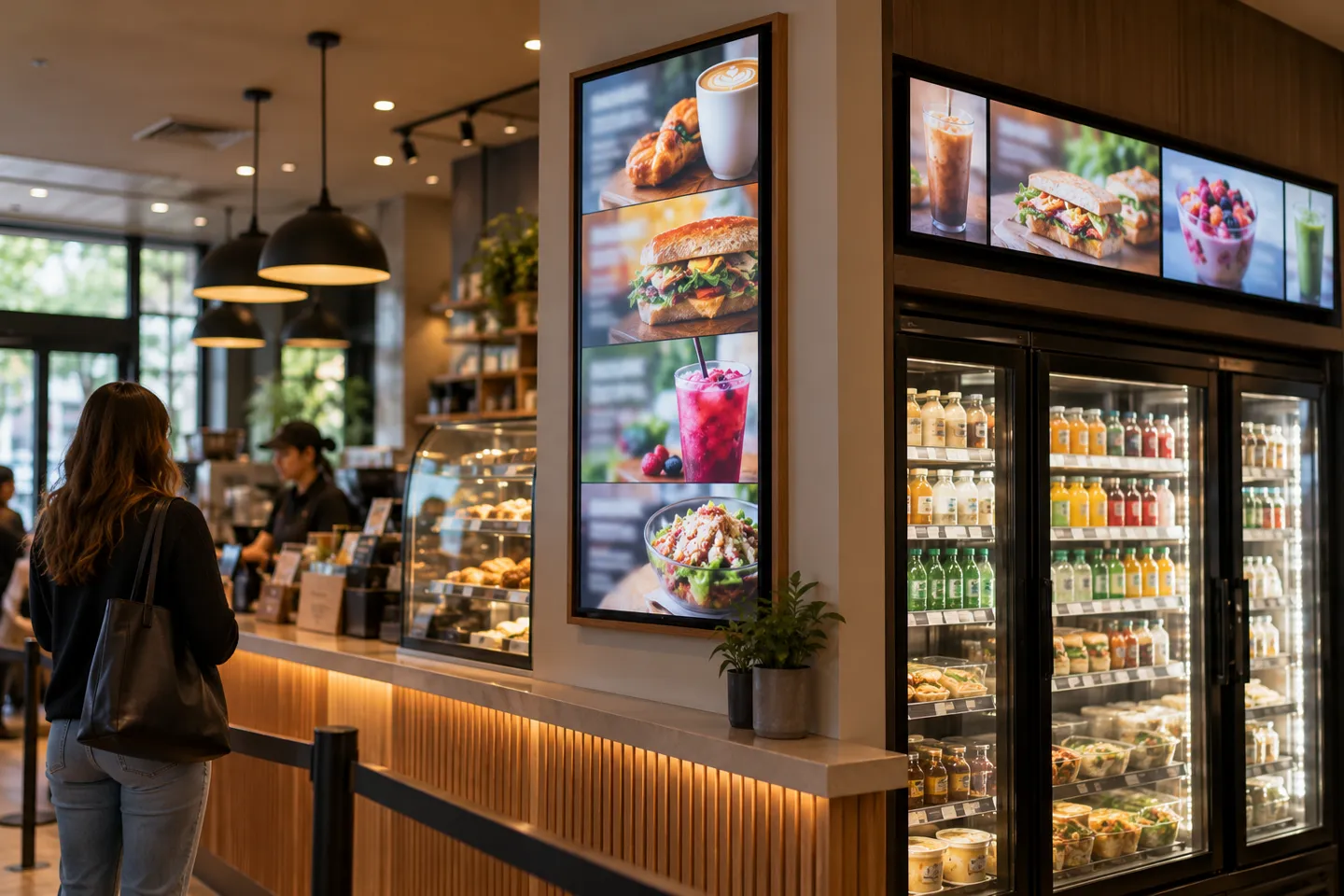
At its core, integration is a pipeline. Data leaves the POS, passes through a connection layer, lands on a media player or the display’s own management system, and renders on the board. The POS stays the system of record: it holds the product catalog, the prices, the modifiers, and the sold-out status. The menu board becomes a view of that record, refreshed on a schedule you choose.
The pipeline
POS records a change (price edit, item keyed out, promo scheduled)
Connection layer picks it up (file export, API call, or event push)
Player or display CMS receives and maps the data into the template
Screens re-render, zone by zone, without touching the design
Not every field should make the trip. The fields that belong on the board are the ones customers act on: item names, categories, prices, images, size and add-on modifiers, promotions, and availability. Visual assets, layout, and brand styling stay on the content side, because mixing the two means every price change becomes a design task. Operators who keep data and design separate change prices in seconds; operators who bake prices into artwork reopen the design file every time.
The payoff shows up in three places. Staff stop re-keying prices on screens by hand, which removes both the labor and the typos. Multi-location brands keep every board aligned with what the register actually charges. And sold-out items come off the screen before a customer points at them, which is the complaint every operator knows by heart.
The Five Data-Link Routes
Every working integration in the market is a variation of five routes, and they form a ladder. Each rung up buys faster updates and costs more effort to build. The right question is not which route is best but which rung your operation actually needs.
The bottom rung is manual sync, and it is the baseline everyone is escaping. Prices live in a spreadsheet, someone exports or retypes them, and a USB stick, a shared folder, or a free casting app carries the file to the screen. It works for one board that changes monthly. It fails the moment changes get frequent, because the true cost of this route is the re-keying time multiplied by the error rate, and tired managers at closing time make expensive typos.
Scheduled File Feeds: The CSV Route
One rung up sits a scheduled file feed. The POS exports item and price fields to a CSV file, and the display system imports it on an agreed schedule. RFC 4180 documents a common CSV format, but it does not guarantee that any particular POS or signage platform supports this workflow. Confirm field names, encoding, update frequency and failure alerts with both vendors.
The appeal is that nobody writes code. A manager who can export a spreadsheet can own this route, and it survives POS vendors that offer no usable API. The trade is latency: updates land on the cadence of the schedule, so minutes-to-hours pass between a price change at the register and the change on the board. For breakfast-to-lunch menu structure, that is invisible. For a Saturday sell-out, it is not, because availability simply cannot wait for the next poll. This route fits operations with stable menus, infrequent price moves, and no developer on call.

API Connections: Where “Seamless” Meets Development Work
The rung many buyers expect is an API connection. Before approving it, ask each vendor for its current API documentation, authentication method, supported catalog fields, rate limits and test environment. An OpenAPI description can make the interface easier to inspect, but the integration still needs a field map and error-handling plan.
Someone must map fields, handle authentication and decide what the screen shows when the POS returns an error. The build and ongoing maintenance should be scoped together. Test price, availability, modifiers and promotions separately; a working price sync does not prove that a sold-out item will disappear.
These are developer-built integrations, not one-click connectors.
Event Pushes and Platform Embeds
The top rungs belong to operations where minutes of staleness cost real money. In an event-driven route, the POS or middleware fires a webhook the moment something changes, and the board updates in seconds. The difference from polling is structural: a poll always has a window where the screen is wrong, while a push reacts to the event itself. This is also where open messaging protocols such as MQTT earn their place, because they let the display’s base station or management layer subscribe to POS and IoT data directly instead of waiting to be asked.
Above that sits the embed route, where a display maker’s SDK and management system get folded into someone else’s platform entirely. That is the world of POS vendors building menu board capability into their own suites, and of white-label display programs. It has its own economics, which this guide returns to in the final chapter.
| Route | Typical latency | Build effort | Who maintains it | Breaks when |
|---|---|---|---|---|
| Manual / spreadsheet | Hours to days | Няма | Store staff | Changes get frequent |
| Scheduled CSV / FTP | Minutes to hours | Low, no code | Store IT part-time | Availability must be instant |
| API connection ⭐ | Minutes (poll interval) | One-time dev project | Whoever built it | Fields are not in the API, or no developer exists |
| Event push (webhook / MQTT) | Seconds | Highest | Integrator or vendor | POS exposes no event interface |
| Platform embed | Seconds, native | Joint engineering | Platform owner | Platform and display stack disagree |
Matching the Route to Your Operation
Four questions sort the ladder quickly. How many times a day do prices or availability change? How many stores and screens sit behind one menu? Is there anyone on hand who can build and watch an API connection, or budget to hire one? And how tolerant is the brand of a screen showing a price the register does not charge? A single café with a weekly special sits happily on a file feed. A twenty-store chain with dayparted pricing and live availability has left that rung whether it knows it or not.
Store count is the amplifier. One stale price annoys a customer; thirty stale prices, spread across three towns, become a brand problem and a franchise-relations problem at the same time. This is where central template control earns its place on the requirement list: headquarters owns the layout and the brand-wide price changes, while each store keeps room for local items and local deals. Every route above the manual rung can support this split; the difference is how much of it arrives configured and how much you assemble.
Locking in a multi-store rollout? Get the display side specced against your POS route before the first screen ships.
Get a rollout quoteChoose an integration route for the store count and update cadence the operator expects to manage. A one-store pilot can reveal missing fields, update delays and manual work before those problems are copied across a larger rollout.
Mismatch has a cost in both directions. A manual or CSV route stretched over high-frequency changes collapses into overtime and errors, because people become the integration layer. The reverse mismatch is quieter but real: paying development money for event-driven speed in a business where prices change monthly means funding capability nobody uses. Route selection is a fit exercise, not a status contest.
Pick your rung
- How many price/availability changes per day? Under 1, manual or CSV is fine. Over 5, start at API.
- How many stores? More than 3, demand central templates with store-level permissions.
- Developer available? No: CSV or a vendor with a prebuilt connector. Yes: API or push.
- Price-accuracy tolerance? Zero tolerance: event push with 86 tested at acceptance.
What to Demand From the Screen Side
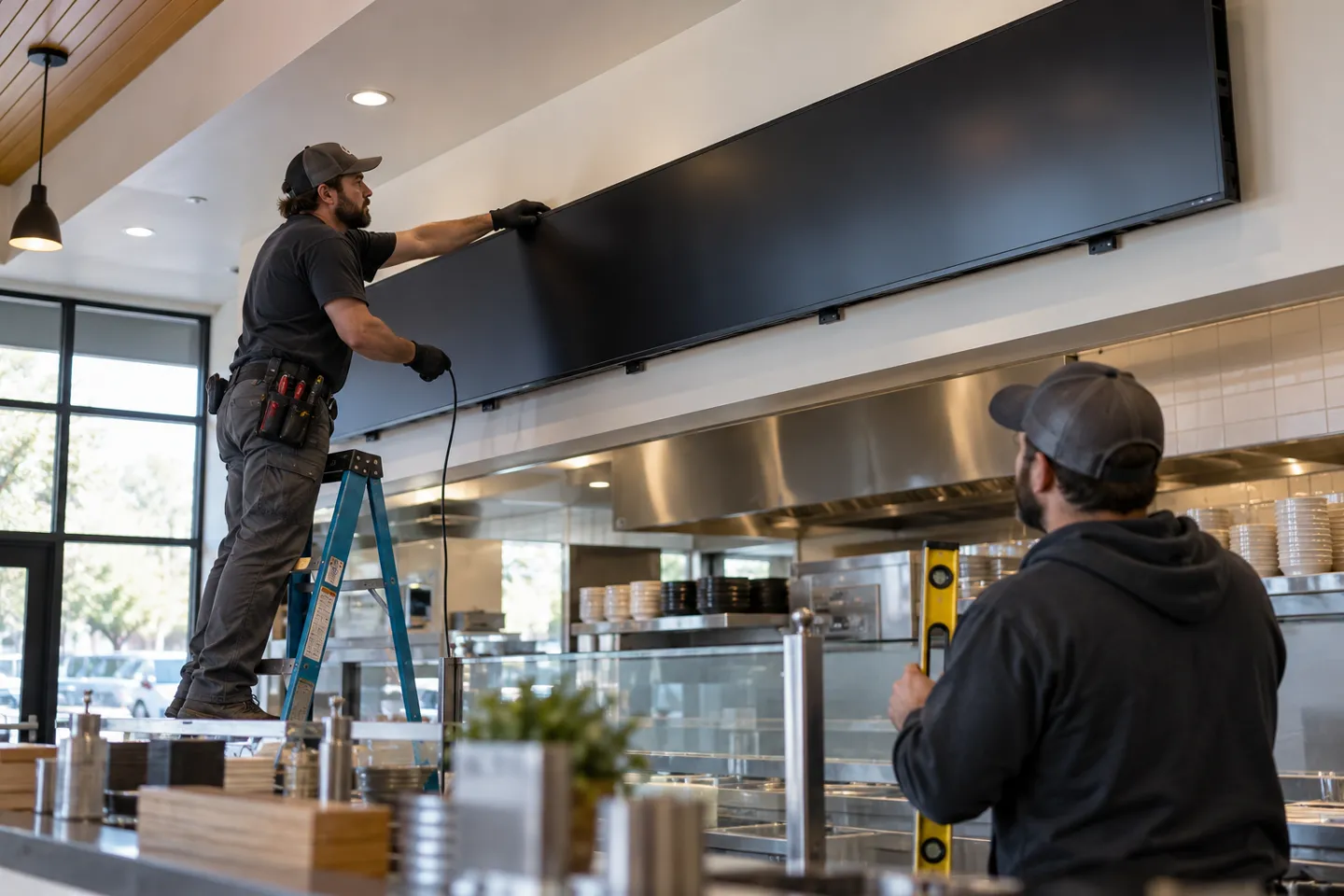
Data routes decide how fast the board learns. The hardware decides whether it can be taught at all. A screen that renders a static poster has no obligations beyond brightness, but a screen that renders POS data four hundred times a week has acceptance criteria, and they belong in the purchase order, not the post-mortem.
Hardware Acceptance Specs
Brightness is set by the mounting environment. Test a sample at the brightest operating hour and compare the selected model’s published luminance, duty rating, operating range, mounting pattern and warranty with the site plan. ENERGY STAR notes that commercial signage displays may be designed for continuous use, but specifications vary by model. Match each menu format to its actual content and mounting position.
| Deployment scene | Display requirement | Confirm before ordering |
|---|---|---|
| Indoor counter, no direct sun | Indoor commercial panel with model-specific luminance and duty rating | Test the selected model at the brightest operating hour |
| Window-adjacent or sunlit room | Sunlight-readable model with glare control | Confirm warranty covers all-day commercial duty |
| Storefront behind glass | Window-rated display with thermal management | Confirm heat dissipation at peak summer ambient |
| Drive-thru, outdoor | Outdoor-rated display and enclosure matched to local conditions | Confirm enclosure rating in writing, not in a photo |
Management Layer and Link Interfaces
The management system is where the data route terminates. Require a documented interface for the chosen route, whether that is an API, a scheduled file or an event feed. MQTT is an established messaging protocol, but its presence on one product does not prove support in a separate LCD system. Keep prices in data fields rather than static artwork, and specify cached playback, reconnect behavior and permissions as acceptance tests.
Menu board acceptance sheet
| Item | Threshold to demand | Why it fails silently |
|---|---|---|
| Яркост | Match to scene tier | Looks fine at night washes out at noon |
| Duty rating | Duty rating matched to operating hours | Check the selected model’s written business-use terms |
| Backlight/panel life | Quoted floor not estimate | Dimming starts long before failure |
| Data-zone templates | Price edits without redesign | Prices baked into artwork |
| Interface set | Documented interface and tested fallback | Integration rebuilt for every exception |
| Offline behavior | Cached playback with catch-up | Blank screens on network drop |
| Remote management | Grouping, staged rollout, per-store permissions | Truck rolls for every price change |
Where Integrated Menu Boards Break
A common integration failure is an availability gap: a price update reaches the board, but an unavailable item remains visible. At acceptance, mark an item unavailable in the POS and time the screen update; testing only a price change does not verify the availability field.
The second pattern is dependency on the POS or its data service. If that source stops responding, the display needs a defined fallback. Specify cached playback or a backup menu and test the behavior during a simulated outage. NIST’s contingency-planning guidance supports preparing alternate processing before disruption.
Network loss is the third failure mode. A player may keep the last approved menu on screen, but that behavior must be confirmed for the selected system. Test disconnection, reconnect, stale-data alerts and recovery before launch.
The fourth pattern is the quietest and the most expensive: a screen price that does not match the register. Field mapping errors and stale update windows both produce it, and customers experience it as a broken promise at the counter. The check is operational, not technical: sample ten transactions a week and compare receipt against board.
The fifth is compliance drift. Under the FDA menu-labeling rule, covered chains with 20 or more locations under the same name and substantially the same menu items must show calories for standard items on menus and menu boards. A dynamic template can omit required information if the data map changes. Audit the full menu after every template revision and confirm the applicable requirements with the operator’s compliance team.
Acceptance test the failures, not the brochure: key out an item and time the board, unplug the network and watch the cache, match ten receipts to the board, and rebuild one template to see if the compliance zone survives.
Turn the Pilot Into a Repeatable Test
Before the first store goes live, write down the exact data contract between the POS and the board. Include the item identifier, display name, price, tax treatment, availability, modifier text, calorie field where required, and the time each value was last updated. Record which system owns each field. A screen that looks correct in a demo can still be wrong after a cashier renames an item or a manager changes a promotion.
Run the pilot through a short test log: change a price, mark an item unavailable, restore it, publish a daypart menu, disconnect the network, and restart the player. For each action, record the POS timestamp, the screen timestamp, the expected result, and who approved it. Repeat the same log at a second store with a different menu or network setup. If the second site needs new code, document that exception before quoting a wider rollout. Keep a rollback file and name the person who can publish it during service hours. This turns a successful demonstration into an operating procedure that another team can repeat.
What a Capable Supplier Looks Like
By this point the requirement list writes itself, and the supplier question is really a filter question. The first filter is factory depth. A supplier who manufactures the display can quote panel provenance, brightness measured at the panel, backlight life as a floor, and enclosure options for heat and glare. A trader reselling boxes cannot answer those questions under pressure, and acceptance testing is where the difference shows.

The second filter is software ownership. When the management system and the screens come from the same house, an interface problem has an owner. When the POS vendor, the signage software, and the display factory are three different companies, the integration issue becomes a hot-potato exercise, and the store manager pays for it in downtime. Ask who fixes the middle layer before you need it fixed.
The third filter is flexibility at the edges. Pilot projects live or die on small frictions: a logo on the boot screen, a frame color that matches the brand, a bracket for an awkward wall, or a single-unit order to prove the concept before the chain-wide rollout. Suppliers who support low minimums and short sample turns let you run a real pilot in one location, then copy it with confidence: a few days for a test unit, about a week for volume production. Suppliers who cannot, force you to bet the fleet on a datasheet.
The last two filters are paper, not product. Warranty terms should name the duty cycle they cover and what happens in year one, ideally replacement rather than repair, with software updates priced in rather than rented. And support should include someone who has actually deployed the integration you are buying, because the questions that matter at setup are field questions, not catalog questions.
Five questions before the PO
- Who manufactures the panel and what is the backlight-life floor?
- Who owns the management software when an interface breaks?
- What is the sample turnaround and the volume lead time?
- What exactly does the warranty cover at 16 hours a day?
- Who has deployed this exact integration before?
The Operator’s Economics
For a POS solution provider, signage integrator or distributor, the opportunity depends on repeatable delivery. A documented field map, device specification, fallback behavior and acceptance test let the team reuse a proven configuration across stores while pricing exceptions clearly.
The rerun of everything above, read through a P&L, is blunt. Integration coverage gaps and outages are ordinary events, not exceptions. Interface work is developer labor priced per project. Acceptance specs decide whether the second store is a copy job or a second project. Add those together and the pattern is uncomfortable but useful: the most expensive line in a menu board rollout is never the screen, it is integration hours multiplied by the number of stores. Every supplier choice either turns that line into a fixed cost or lets it scale.
The most expensive line in a menu board rollout is never the screen.
It is integration hours multiplied by the number of stores.
That arithmetic is why the supplier checklist above compresses into an admission standard: open protocol support such as MQTT, a documented API and SDK, an on-premise option, central templates with store-level permissions, a stated offline behavior, and hardware duty and backlight ratings matched to the operating plan. A display partner who clears that list converts integration from per-store engineering into configuration. The same standard protects three distinct businesses: the POS suite adding screens as a feature, the integrator delivering whole-store systems, and the distributor building a repeatable regional practice. None of them needs a different checklist. They need the same one, applied before the first store, not after the tenth.
Zhsunyco documents an ESL integration stack with MQTT-enabled base stations and standard APIs and SDKs on its POS provider page. Its LCD display range is a separate product family. For a POS-connected menu board project, confirm the exact LCD model, content-management interface, data route, licensing, sample schedule and warranty in a project-specific quote before promising a unified rollout.
Препратки
- RFC Editor. RFC 4180: Common Format and MIME Type for CSV Files.
- OpenAPI Initiative. OpenAPI Specification.
- OASIS. MQTT Version 5.0.
- U.S. Food and Drug Administration. Menu Labeling Requirements.
- ENERGY STAR. Signage Displays.
- NIST. Contingency Planning.
If you are evaluating display partners for a POS-connected menu board program, compare the selected LCD specifications, integration scope and written warranty terms before committing to a rollout.
Turn integration hours into configuration
Send your POS stack, store count and screen plan for a project-specific display and integration review.
Start your menu board rollout
 English
 Russian
 Spanish
 German
 Arabic
 French
 Bulgarian
 Polish
 Romanian
 Turkish
 Portuguese